Walk into any computer shop and you will hear a long list of numbers – i5, i7, 8 GB, 512 GB, 15.6 inch, 11th gen. It is easy to overspend on power you will never use, or to save money on the one part that makes a laptop feel slow. This guide cuts through the jargon and tells you what actually matters for your kind of work, with simple configurations you can take to any seller.
Start With the Work, Not the Brand
The right laptop depends far more on what you do every day than on the logo on the lid. Most people fall into one of five groups:
- Students – notes, online classes, assignments, browsing and some entertainment.
- Office staff – email, Excel, Word, ERP or billing software, video calls.
- Programmers and IT professionals – code editors, many browser tabs, virtual machines or Docker.
- Designers and content creators – Photoshop, Illustrator, video editing.
- Business owners on the move – long battery life, light weight, reliable video meetings.
Find your group below and use the configuration as a starting point.
The Parts That Matter Most
Processor (CPU)
For everyday work, an Intel Core i5 or AMD Ryzen 5 is the sweet spot. A Core i3 is fine for light use; a Core i7 or Ryzen 7 helps with heavy multitasking, coding and editing. The generation matters as much as the tier – an 8th-generation i5 is much faster than a 4th-generation i7, and only 8th generation or newer officially supports Windows 11.
RAM (Memory)
RAM decides how many things you can do at once without slowdowns. 8 GB is the minimum today. 16 GB is the comfortable choice for most people and is worth paying a little extra for. Programmers and designers should consider 16–32 GB.
Storage
Always choose an SSD. A 256 GB SSD is enough if you keep files in the cloud; 512 GB is better for most users. NVMe SSDs are faster than SATA SSDs, but both are dramatically faster than a hard disk.
Screen
Look for Full HD (1920×1080). An IPS panel gives better colours and viewing angles than a basic TN panel. A 14 inch screen is the best balance of portability and comfort; 15.6 inch suits people who mostly work at a desk.
Battery and Weight
If you carry your laptop every day, aim for 1.3–1.6 kg and a battery that still holds a healthy charge. Business ultrabooks such as the Dell Latitude 7000 series, ThinkPad T and X series and HP EliteBook 800 series are good choices.
Recommended Configurations
| User | Processor | RAM | Storage | Screen |
|---|---|---|---|---|
| Student | Core i5 / Ryzen 5 (8th gen+) | 8 GB | 256 GB SSD | 14" Full HD |
| Office staff | Core i5 / Ryzen 5 | 8–16 GB | 256–512 GB SSD | 14–15.6" Full HD |
| Programmer | Core i5/i7 / Ryzen 5/7 | 16 GB+ | 512 GB NVMe | 14–15.6" Full HD |
| Designer / editor | Core i7 / Ryzen 7 or Apple M1+ | 16 GB+ | 512 GB+ | Full HD IPS or better |
| Business traveller | Core i5/i7, ultrabook | 16 GB | 512 GB SSD | 13–14" Full HD |
Budget Guide: What Your Money Gets You
Prices change with stock and condition, so treat these as rough bands for good-condition second-hand business laptops rather than fixed prices.
Entry Budget
Expect an 8th-generation Core i5 business laptop with 8 GB RAM and a 256 GB SSD. This is perfect for students and basic office work. Choose a model with a free RAM slot so you can upgrade later.
Mid Budget
This is where second-hand business laptops shine: 10th or 11th-generation Core i5/i7, 16 GB RAM, 512 GB SSD and a Full HD IPS screen. It handles office work, coding and multitasking with ease.
Higher Budget
Here you can look at premium ultrabooks, newer-generation processors or a used MacBook Air or MacBook Pro with Apple silicon. If you are torn between Mac and Windows, read our MacBook Air vs Windows laptop comparison.
New vs Second-Hand: Which Is Better Value?
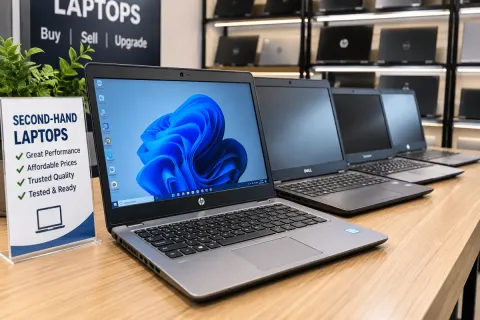
A new budget laptop often comes with a basic plastic body, a dim screen and a slower processor. For the same money, a second-hand business laptop usually gives you a stronger build, a better keyboard, more RAM and a faster SSD. The trade-off is that you must check the condition carefully – our 15-point second-hand laptop checklist shows you how.
Do You Really Need a Laptop?
If the computer will stay on one desk – a reception counter, an accounts workstation or a home study – a desktop can give more performance per rupee and is easier to upgrade. We compare both in laptop vs desktop for office work. You can also browse Desktop PCs.
Brand Notes
- Dell Latitude – solid, easy to service and widely available. See our refurbished Dell Latitude review.
- Lenovo ThinkPad – the best keyboards and legendary durability. See our ThinkPad T-series review.
- HP EliteBook – premium aluminium designs and good screens.
- Apple MacBook – excellent battery life on M1 and newer models; check MacBooks.
Frequently Asked Questions
Is Core i5 enough for a student laptop?
Yes. A Core i5 (8th generation or newer) with 8 GB RAM and an SSD comfortably handles online classes, assignments, browsing and Microsoft Office.
Should I buy 8 GB or 16 GB RAM?
Choose 16 GB if your budget allows, especially for programming, design or heavy multitasking. If you buy 8 GB, make sure there is a free slot for an upgrade.
Is a 256 GB SSD enough?
For students and office users who keep files in Google Drive or OneDrive, yes. If you store photos, videos or large projects locally, choose 512 GB.
Which laptop is best for programming?
A Core i5/i7 or Ryzen 5/7 with 16 GB RAM, a 512 GB NVMe SSD and a comfortable keyboard. ThinkPads are a favourite among developers for their keyboards.
Can TechDomine suggest a laptop for my budget?
Yes – tell us your work and budget on WhatsApp and we will suggest suitable models from our current stock.
Get Personal Advice
Still unsure? Call or WhatsApp +91 78276 28511, email connect@techdomine.in or use our contact form. We will suggest the right laptop for your work and budget – no pressure, no jargon.