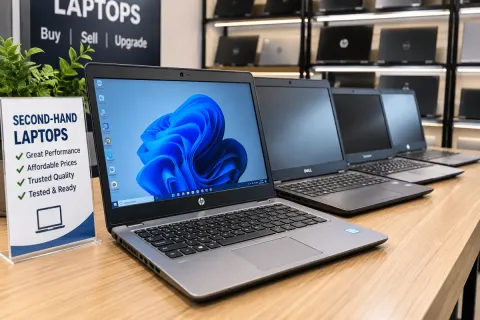
Ask a programmer, a system administrator or a writer which laptop they would buy second-hand, and many will answer without thinking: a ThinkPad. The black box with the red dot in the keyboard has been a favourite of professionals for decades. The T-series is the heart of the ThinkPad family – the mainstream business model that companies buy in large numbers. That makes it one of the most available and best-value used laptops you can find. Here is our honest review.
What Is the ThinkPad T-Series?
Lenovo's ThinkPad range has several lines. The E-series is budget, the L-series is entry business, the T-series is mainstream business, the X-series is thin and light, and the P-series is mobile workstations. The T-series sits in the middle: tough, well-equipped and designed for all-day office use.
Common T-series models are the 14 inch T4xx (for example T480, T490, T14) and the slimmer T4xxs models (T480s, T490s, T14s). Newer generations use the "T14 Gen x" naming.
Design and Build Quality
ThinkPads are not flashy. The matte black design is plain but practical: it hides fingerprints and scratches well. The T-series is built to pass military-grade durability tests, with a strong chassis, solid hinges and a spill-resistant keyboard on most models.
On the used market, this toughness matters. A three or four-year-old ThinkPad from a corporate office often looks and feels far better than a consumer laptop of the same age.
The Famous Keyboard
The keyboard is the main reason people choose a ThinkPad. Keys have deep travel, a satisfying feel and a sensible layout with full-size arrow keys and dedicated Page Up/Page Down buttons. If you type for hours – code, reports, articles – you will notice the difference.
TrackPoint
The red TrackPoint in the middle of the keyboard lets you move the pointer without lifting your hands. It takes a day or two to learn but many users never go back. There is also a regular touchpad with physical buttons above it.
Performance
Like any used laptop, performance depends on the processor generation:
- 8th generation (T480, T480s) – quad-core Core i5/i7, smooth for office work, browsing and programming, and officially supports Windows 11.
- 10th generation (T14 Gen 1, 10th-gen T490 versions) – faster and more efficient.
- 11th generation and newer (T14 Gen 2+) – noticeably quicker, better graphics and newer Wi-Fi.
With 16 GB RAM and an SSD, an 8th-generation ThinkPad remains a very capable everyday laptop in 2026.
Battery
Some older models such as the T470 and T480 used two batteries – one internal and one removable at the back – so you could swap the external battery without shutting down. Later models moved to a single internal battery.
Whatever the model, check the battery health before you buy. Our step-by-step battery health guide explains how to generate a Windows battery report in under two minutes.
Upgrades and Repairability
ThinkPads are among the easiest laptops to repair. Lenovo publishes hardware maintenance manuals, and parts are widely available. On many T-series models you can upgrade the SSD with just a screwdriver.
RAM is where you need to be careful:
- The T480 has two RAM slots – easy to upgrade.
- The T490 and T14 (Gen 1/2) have some RAM soldered on the board plus one slot.
- The slim "s" models often have all RAM soldered.
So check the installed RAM before buying a slim model, because it may not be upgradeable later. Read our SSD and RAM upgrade guide for more.
Screen
T-series laptops came with several screen options, from basic HD panels to Full HD IPS and even higher resolutions. Always confirm the screen type – a Full HD IPS panel is far better for daily use than an HD TN panel. Check for dead pixels and pressure marks using our second-hand laptop checklist.
What to Check on a Used ThinkPad
- BIOS supervisor password – ex-corporate ThinkPads may be locked; make sure the BIOS opens freely.
- Keyboard and TrackPoint – test every key; replace worn TrackPoint caps cheaply.
- Hinges and lid – should be firm.
- Battery report – check both batteries on dual-battery models.
- RAM type – soldered or slot, especially on slim models.
Pros and Cons
Pros
- Best-in-class keyboard and TrackPoint
- Tough build that ages well
- Easy to repair, with good parts availability
- Great value on the used market
Cons
- Plain design is not for everyone
- Some models have soldered RAM
- Speakers and webcam are average on older generations
ThinkPad T-Series vs Dell Latitude
Both are excellent choices. ThinkPads usually win on the keyboard and have a devoted fan base; Dell Latitudes are often slightly cheaper for a similar configuration and are just as easy to service. Read our refurbished Dell Latitude review or compare two laptops side by side.
Who Should Buy a Used ThinkPad?
- Programmers and IT professionals – the keyboard and reliability are ideal.
- Writers and students – comfortable for long typing sessions.
- Small businesses – durable machines that are cheap to maintain.
If you mainly edit photos or videos, consider a model with a better screen or look at a MacBook – see our MacBook Air vs Windows laptop comparison.
Frequently Asked Questions
Is a used ThinkPad worth buying in 2026?
Yes. A T-series ThinkPad with an 8th-generation or newer processor, 8–16 GB RAM and an SSD is an excellent value laptop for office work and programming.
Which ThinkPad T model is best second-hand?
The T480 is popular for its upgradeability and dual-battery design. The T14 Gen 1 and Gen 2 offer newer processors and better efficiency.
Can I upgrade RAM on a ThinkPad T14?
The T14 Gen 1 and Gen 2 have part of the RAM soldered and one free slot, so you can add one module. Slim T14s models usually have all RAM soldered.
Are ThinkPads good for programming?
Very good. The keyboard, reliability and Linux compatibility make ThinkPads a favourite among developers.
Where can I buy a tested used ThinkPad?
TechDomine tests every laptop before sale. Browse Second-Hand Laptops or WhatsApp us for the latest ThinkPad stock.
Ask Us About ThinkPads
Looking for a specific ThinkPad model? Call or WhatsApp +91 78276 28511, email connect@techdomine.in, or send us an enquiry.