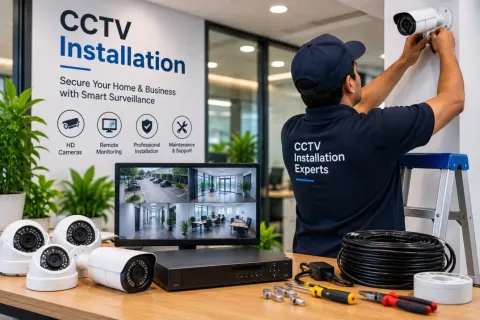
A good CCTV system protects your home, shop or office around the clock and lets you check what is happening from your phone. A badly planned one gives blurry images, blind spots and a hard disk that fills up in two days. This guide explains the key decisions in plain language, so you know exactly what to ask for when you get a quote.
Step 1: Decide What You Want to See
Before choosing any camera, walk around the property and list what matters:
- Entrances and exits – main door, gate, shutter, back door.
- Cash counter and billing area – in shops and showrooms.
- Parking and driveway – vehicles and number plates.
- Stock rooms and server rooms – valuable goods and equipment.
- Corridors and staircases – movement inside the building.
For each spot, decide whether you need to identify faces (close, high detail) or simply observe activity (wide view). This single decision affects camera type, lens and placement.
Step 2: Analog (HD) Cameras vs IP Cameras
| Feature | Analog HD + DVR | IP cameras + NVR |
|---|---|---|
| Image quality | Good (up to 5 MP on most systems) | Excellent (2–8 MP and more) |
| Cabling | Coaxial cable + separate power | One network cable (PoE) for data and power |
| Smart features | Basic | Person/vehicle detection, line crossing, better analytics |
| Cost | Lower | Moderate |
| Best for | Budget homes and small shops | Offices, larger shops, future expansion |
Analog HD systems are affordable and reliable, and are a good fit for small setups where budget matters most.
IP cameras send digital video over a network cable. With PoE (Power over Ethernet), one cable carries both power and data, which makes installation neater. IP systems also offer better image quality and smarter detection, and they are easier to expand later. For most offices and new installations, we recommend IP.
Step 3: DVR vs NVR
- A DVR (Digital Video Recorder) works with analog cameras. Each camera connects directly to the DVR with coaxial cable.
- An NVR (Network Video Recorder) works with IP cameras over the network. Many NVRs have built-in PoE ports so cameras can plug in directly.
Both record to a hard disk inside the recorder and both support mobile viewing. Choose the recorder with enough channels for your cameras today plus a few spare for later.
Step 4: Choose the Right Resolution
- 2 MP (1080p) – good for general monitoring of rooms and corridors.
- 4–5 MP – clearer detail; a good standard for shops and offices.
- 8 MP (4K) – best detail for large areas like parking lots or warehouses.
Higher resolution needs more storage, so balance detail with recording days.
Step 5: Night Vision and Colour at Night
Most cameras use infrared (IR) to see in black and white in the dark. Many newer cameras offer full-colour night vision using a small white light or very sensitive sensors. For outdoor areas like gates and parking, colour night vision helps identify clothes and vehicle colours.
Step 6: Dome or Bullet Camera?
- Dome cameras are compact, discreet and harder to tamper with – ideal indoors.
- Bullet cameras are visible and act as a deterrent; they usually have longer IR range – ideal outdoors.
Outdoor cameras should have an IP66 or IP67 weather rating for rain and dust.
Step 7: How Much Storage Do You Need?
Storage depends on the number of cameras, resolution, compression and how many days you want to keep. As a rough guide, a single 2 MP camera recording continuously with H.265 compression can use around 15–25 GB per day, depending on the scene and settings. So:
| Cameras | Resolution | Approx. storage for 30 days |
|---|---|---|
| 4 | 2 MP | about 2–3 TB |
| 8 | 2 MP | about 4–6 TB |
| 8 | 4 MP | about 8–10 TB |
Using motion-based recording and H.265/H.265+ compression can extend recording days significantly. Always use a surveillance-grade hard disk, designed for 24×7 recording.
Step 8: Camera Placement Tips
- Mount cameras at 2.5–3 metres high – out of easy reach but not so high that faces are hidden.
- Point entrance cameras towards people coming in, not at their backs.
- Avoid pointing cameras directly at bright windows or the sun – faces become dark silhouettes.
- Cover the cash counter from above and at an angle so both the person and the counter are visible.
- Overlap camera views slightly to avoid blind spots.
Step 9: Mobile Viewing and Alerts
Modern DVRs and NVRs connect to your internet router so you can watch live and recorded footage on your phone. You can also receive alerts when a person or vehicle is detected. For stable remote viewing, your router and network need to be set up properly – our small office network setup guide explains the basics, and TechDomine also handles Networking Installation.
Step 10: Cabling and Power Backup
Neat, protected cabling makes a system reliable. Outdoor cables should run in conduit to protect them from sun and rodents. Connect the recorder and PoE switch to a UPS, so recording continues during power cuts. For larger sites, structured cabling makes future changes much easier – see LAN & WAN Cabling.
Maintenance Checklist
- Check every camera view once a week on your phone.
- Clean camera lenses every few months, especially outdoors.
- Confirm the recorder shows the correct date and time.
- Check hard disk health and recording days monthly.
- Change the default passwords and keep firmware updated.
Frequently Asked Questions
Which is better, IP or analog CCTV cameras?
IP cameras offer better image quality, smarter detection and easier expansion. Analog HD cameras are cheaper and work well for small, budget setups.
How many CCTV cameras do I need for a shop?
Most small shops need 4–8 cameras: entrance, cash counter, main aisles and the stock room. A site visit gives an exact number.
How many days of recording will I get?
It depends on cameras, resolution and hard disk size. For example, 8 cameras at 2 MP with a 4 TB disk can store roughly three to four weeks with H.265 compression and sensible bitrate settings.
Can I watch CCTV on my mobile phone?
Yes. The DVR or NVR connects to your internet router, and you can view live and recorded video using the manufacturer's mobile app.
Does CCTV work during a power cut?
Only if the recorder, cameras or PoE switch are connected to a UPS or inverter. We recommend a UPS for every installation.
Get a CCTV Quote from TechDomine
We plan, supply, install and configure CCTV systems for homes, shops and offices, including mobile viewing setup. See CCTV Installation, call or WhatsApp +91 78276 28511, email connect@techdomine.in or request a site visit.